Blog
Key Features of ProPresenter for Effective Presentations

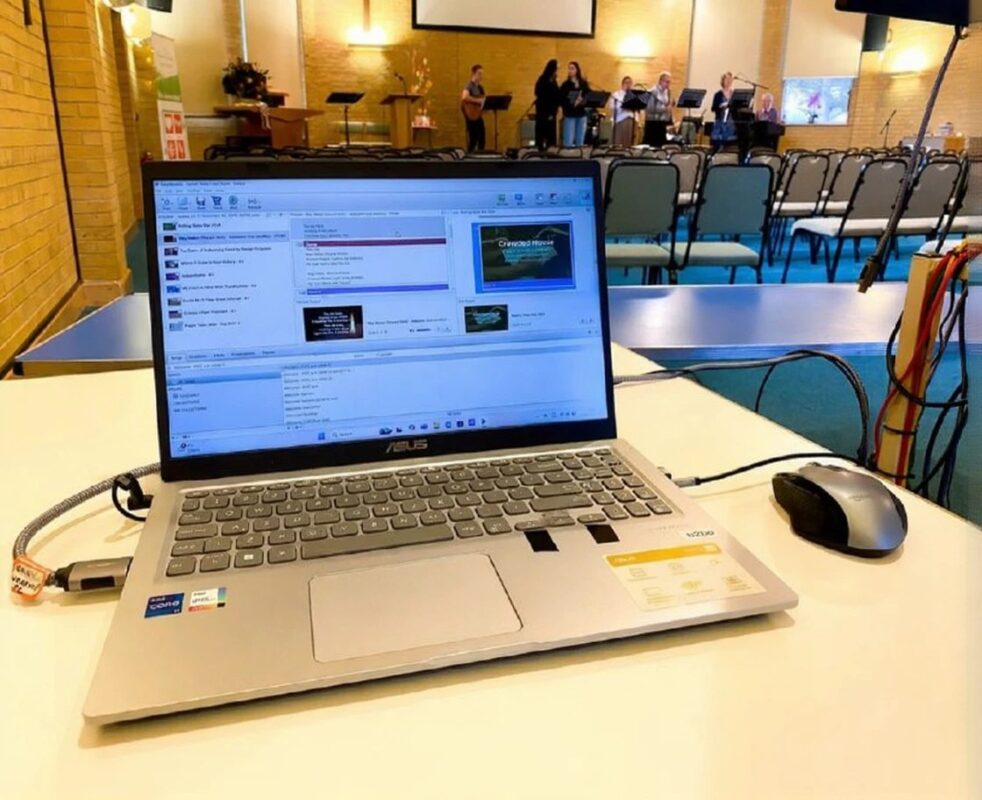
Have you ever felt like your presentation just isn’t capturing your audience’s attention? That frustration of seeing disengaged faces can be overwhelming. That’s where ProPresenter features come into play. This software not only transforms your ideas into captivating visual presentations but also tackles all those obstacles you’ve faced at your events. Keep reading to discover how ProPresenter can be the change you’ve been looking for—taking you from anxiety to confidence, all while connecting authentically with your audience.
Key Features of ProPresenter
ProPresenter is an essential tool that powers up your presentations. The features of ProPresenter not only make it intuitive but also highly effective for communicating ideas in a clear and engaging way. Starting with its ProPresenter functions, the platform offers an easy-to-navigate interface that lets users create dynamic slides with just a few clicks. Among the advantages of ProPresenter, its ability to synchronize multimedia and graphics in real time stands out, allowing you to deliver a seamless visual experience. How many times have you wished a presentation could adapt to your needs without any hassle? With ProPresenter, you can fully customize your presentations, tailoring them to your audience and the environment you’re in.
Additionally, the best features of ProPresenter include advanced remote control options, meaning you can present from your mobile device, giving you freedom of movement and making it easier to interact with your audience. Multi-screen support also ensures images are perfectly aligned, creating a stunning visual impact. As you explore ProPresenter, you’ll notice that its ProPresenter features are constantly expanding with updates that keep you up to date with the latest trends in presentations. So if you want to take your presentations to the next level, don’t hesitate to make ProPresenter your go-to ally on stage.

ProPresenter Functions for Effective Presentations
Intuitive Interface
The intuitive ProPresenter interface is designed for effortless navigation. With clear menus and customizable shortcuts, you can focus on creating engaging content instead of wasting time searching for features. This accessibility is one of the ProPresenter features that make it ideal for quick and effective presentations.
Multimedia Editing Tools
The multimedia editing tools in ProPresenter let you manipulate images, videos, and audio with ease. You can trim, adjust, and apply effects to your visual materials in seconds. These capabilities not only enrich your presentations but are also among the best ProPresenter features that streamline your workflow.
Compatibility with Multiple Formats
Compatibility with multiple formats is another advantage of ProPresenter. Whether you’re working with PDFs, images, or high-definition videos, ProPresenter handles it all. This flexibility means you can integrate diverse content, making your presentations more dynamic and engaging.
Integration with Other Applications
ProPresenter stands out for its ability to integrate with other applications. This lets you easily connect tools you already use, such as live streaming platforms and graphics software. Take advantage of these integrations to maximize audience interaction and create memorable experiences. With these features, ProPresenter truly shines among the ProPresenter benefits for users.
Advantages of Using ProPresenter at Live Events
Enhanced Visual Experience for the Audience
One of the key ProPresenter features is its ability to deliver a superior visual experience that captivates the audience. Thanks to its advanced multimedia management options, you can easily integrate videos, images, and presentations that enrich the viewer’s experience. This not only holds the audience’s attention but also strengthens the message you want to convey. With ProPresenter functions, you can use smooth transitions and visual effects that make every presentation unique and memorable.
Facilitating Audience Interaction
Interaction is crucial at any live event, and ProPresenter excels in this area. Thanks to its ProPresenter advantages, you can use real-time polls and participation options that invite the audience to be part of the show. Think about it: while you’re engaging your audience with visual content, you’re also letting them share their opinions and participate, creating a deeper connection that makes the presentation more effective and dynamic.

Real-Time Updates
Another compelling feature of ProPresenter is real-time updates. During an event, you can make instant adjustments to the presentation, which means you never have to worry about a mistake or an unexpected schedule change. Thanks to this flexibility, your team can stay on top of things and ensure the audience is always up to date with the most relevant information.
| Feature | Description | Benefits |
|---|---|---|
| User Interface | Intuitive and easy to use | Reduced training time |
| Multimedia Support | Integration of videos, images, and graphics | More engaging presentations |
| Audience Interaction | Real-time polls and questions | Increases audience participation |
| Instant Updates | Ability to modify content on the fly | Maintains relevance during the event |
| Social Media Integration | Live content sharing | Extends the event’s reach |
ProPresenter Use Cases
ProPresenter is a powerful tool that has revolutionized the way presentations are delivered, allowing users to seamlessly integrate multimedia, graphics, and text into a cohesive experience. Among the ProPresenter features, several key functions stand out that can transform your presentations into memorable and effective events. 1. Multimedia Integration
ProPresenter allows you to integrate videos, images, and audio without any complications.
You can import and manage different file types, making it easy to create an engaging visual and audio context for your audience. One of the most interesting aspects is the ProPresenter advantages when it comes to handling multiple screens and content layers. 2. Collaboration Tools
Team collaboration has never been easier. With ProPresenter’s features, multiple users can work together in real time, syncing changes instantly. This is especially useful in work environments where the best ProPresenter features include the ability to assign different roles to each team member, keeping the workflow organized. 3. Customizable Templates
Templates are one of the ProPresenter functions that presenters appreciate the most. They provide a starting point that can be easily customized. These options not only save time but also ensure a visually appealing and professional design. 4. Transitions and Special Effects Support
The ability to add smooth transitions and visual effects creates a significant impact. Real-time effects enrich the experience, keeping your audience’s attention and interest throughout the presentation. 5. Mobile Device Compatibility
iOS device compatibility allows you to control the presentation remotely, adding flexibility during your presentations. From smartphones or tablets, you can manage every aspect of your display, giving you freedom of movement and the ability to focus on your message. With these capabilities, ProPresenter becomes an ideal choice not only for standard presentations but also for live events, conferences, and much more. What are you waiting for to integrate it into your upcoming projects?
In summary, the ProPresenter features provide an intuitive interface, powerful multimedia editing tools, and compatibility with multiple formats, all of which support effective presentations. Its ability to integrate with other applications and offer real-time updates also significantly enhances the live event experience. Ultimately, ProPresenter enables better audience interaction and enriches the visual presentation.
We’d love to hear from you! Leave your comments and share this article with others who could benefit from ProPresenter.