


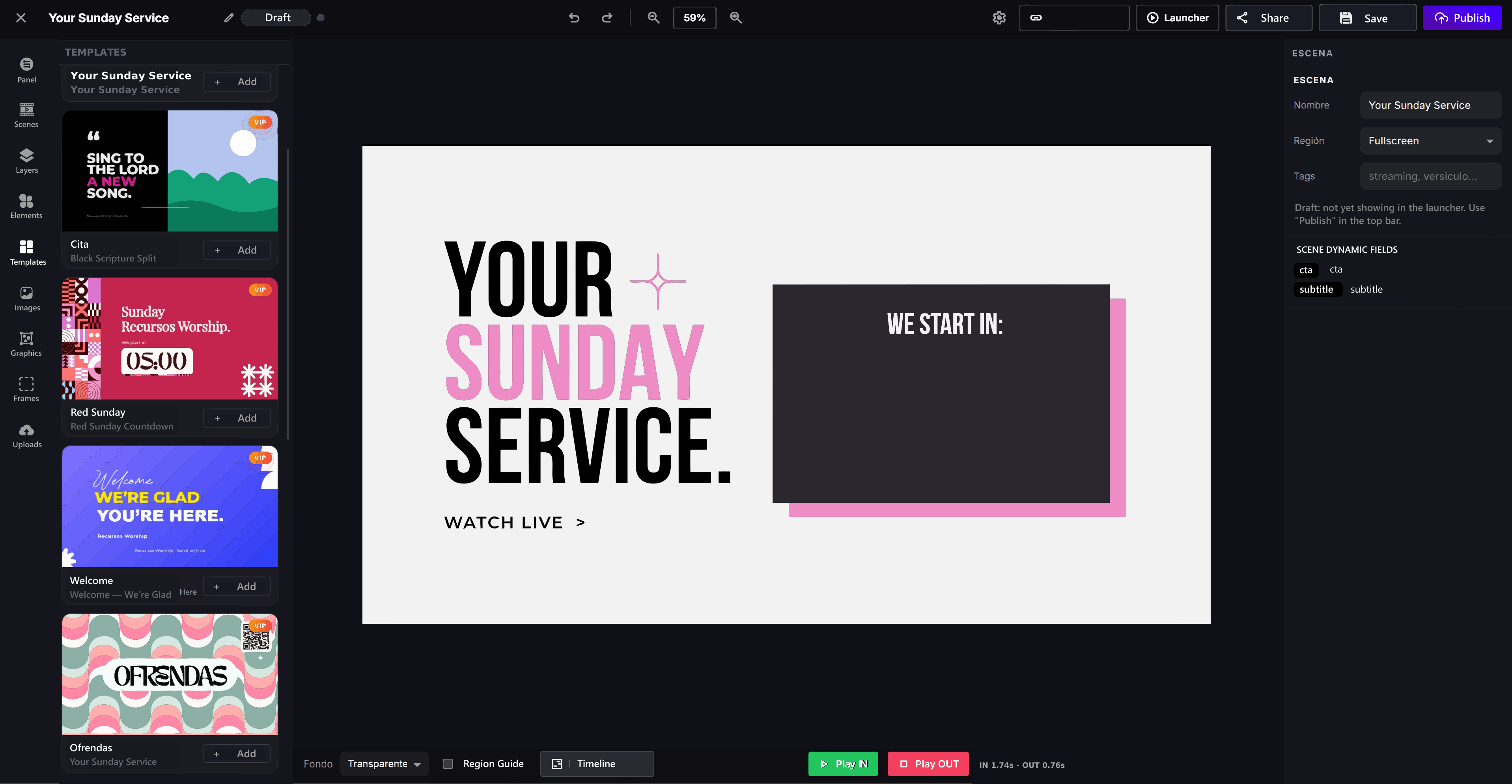
1. Choose a template
Choose a ready-to-use template instead of starting from scratch every time.
 Titling software for churches
Create lower thirds, speaker names, Bible verses, announcements, countdowns and animated graphics right in your browser.
Works with
 OBS
OBS vMix
vMix Wirecast
+300
Church media teams are creating titles, lower thirds and animated graphics faster, without complicated editing workflows or heavy software.
RW Titler is church titling software built to help you create and control professional graphics during your live broadcasts.
Display pastor names, sermon topics, Bible verses, announcements and calls to action without interrupting the livestream.
Browse, pick and customize church templates organized into categories such as titles, lower thirds, Bible verses, worship lyrics, announcements, events, livestreams and much more.
Livestream graphics shouldn’t take hours every week. But between heavy software, slow workflows and designing from scratch, you end up spending far too much time on something that should be simple.
With RW Titler you can create and customize animated titles in one place: lower thirds, Bible verses, names, announcements and overlays, ready to go live in minutes.
A straightforward workflow for designing, customizing and controlling your church livestream graphics.
Choose a ready-to-use template instead of starting from scratch every time.
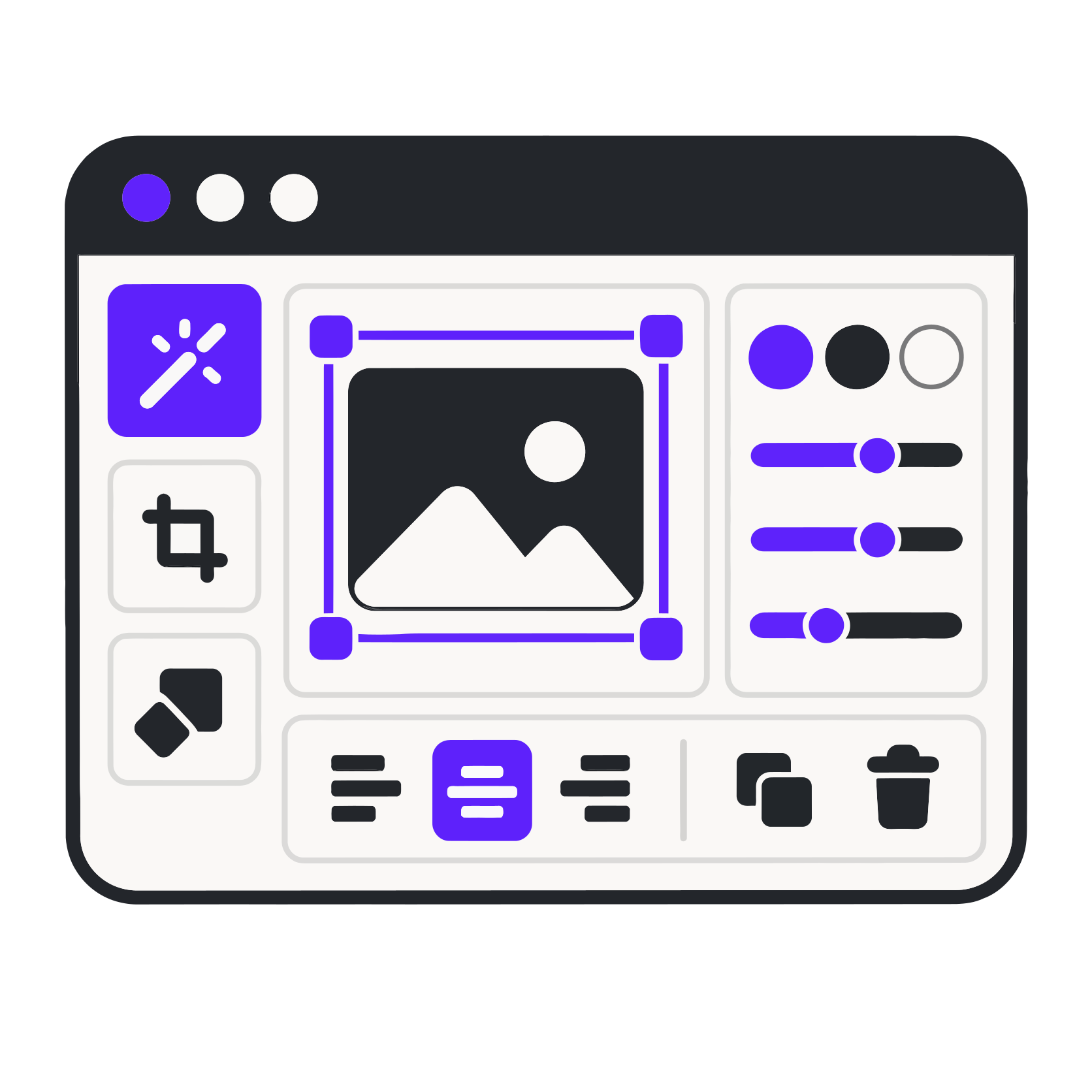
Update text, colors, fonts and styles in just a few minutes.

Take your graphics live and give viewers a more polished livestream.
500+ premium templates for titles, logos, countdowns, giving and more, with new designs added every month.
You can have a great camera, clear audio and a powerful message… But when the graphics feel improvised, the entire livestream looks less prepared.
RW Titler helps you take care of the details that make a church look prepared, current and professional.
Skip complicated software: now you can create your own titles in under 10 minutes.
Pick a lower third, title, countdown or animated graphic that’s ready to customize.
Change text, colors, fonts, animations and timing right inside RW Titler.
Copy the overlay URL and use it directly in OBS or vMix as a browser source.
Connect RW Titler to the tools you already use. Add titles and overlays to OBS, vMix or Wirecast with one URL, without changing your workflow or installing complicated plugins.
Integration for live titles and graphics.
Web input
Add overlays and titles directly to your livestream.
Browser source
No complicated plugins required.
With one URL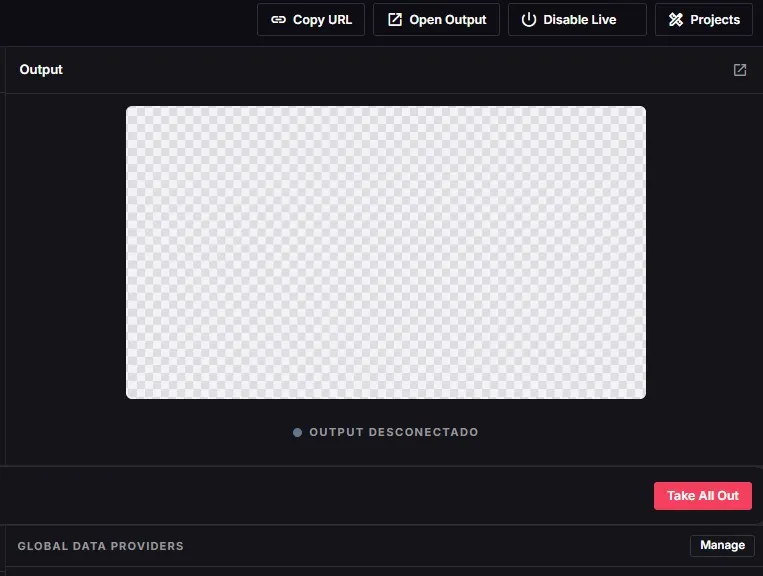
Join churches and media teams already creating more polished livestreams with RW Titler.


★★★★★ Testimonials
Here’s what some people say after trying and using RW Titler.
Resources designed to help you save time, look more professional and have visuals ready for every service.
“RW Media saves us so much time when preparing visuals for each service. We now have quality resources ready to use, with modern designs that help every gathering look more professional.”
“Our media team is small, but RW Media helps us work like a full design team. The templates, backgrounds and resources make a real difference every week.”
“RW Media offers an excellent range of church media. We always find fresh, modern designs that are easy to adapt for services, sermons, special events and social media.”
“As the pastor of a small church, we don’t always have the time or the team to design everything from scratch. RW Media gives us practical tools for quality visuals without the hassle.”
“We used to struggle to find backgrounds and templates that looked good on screen. RW Media gives us ready-to-use options that truly lift the visual experience during worship.”
“What I like most about RW Media is that everything feels made for real churches. These aren’t generic designs; they’re resources we can use directly in our services and adapt quickly whenever we need to.”
Have another question? Message us and we’ll help you find the right option for your church.
RW Titler is church titling and livestream graphics software. Create, customize and display lower thirds, Bible verses, names, announcements and other visuals during a live broadcast.
Yes. Add RW Titler graphics to OBS Studio as a browser source and display them in any of your scenes.
Yes. Add RW Titler to vMix through a web input or browser source to include titles and graphics in your production.
No. Start with ready-made templates and customize them to match your church’s colors and visual identity.
Yes. Create lower thirds for pastors, speakers, worship leaders and guests, as well as Bible verses and announcements.
Yes. Customize the text, colors, fonts and visual elements available in each template.
Yes. The platform is built to create and control graphics online, which makes it simple to integrate with your streaming software.
Have questions?
Not sure which plan to choose? Message us and we’ll help you find the right option for your church. No pressure.